Game Patching (web)
Known web patchers: Resources
For BEMANI games consider spice2x Patching
This patching method is outdated for BEMANI games.
However if your game isn't supported, follow this guide.
Before proceeding
It is highly recommended to use an unpatched DLL or EXE as your base!
If you've already patched your game through other methods (spice2x patching or hex editing),
Please replace your game's DLL or EXE with the original.
Getting started
For this example, we'll be using our (temporarily mirrored) web patcher.
Almost every other patcher looks and functions exactly the same as this one.
If your game is not supported by our web patcher, please check Resources and use another web patcher.
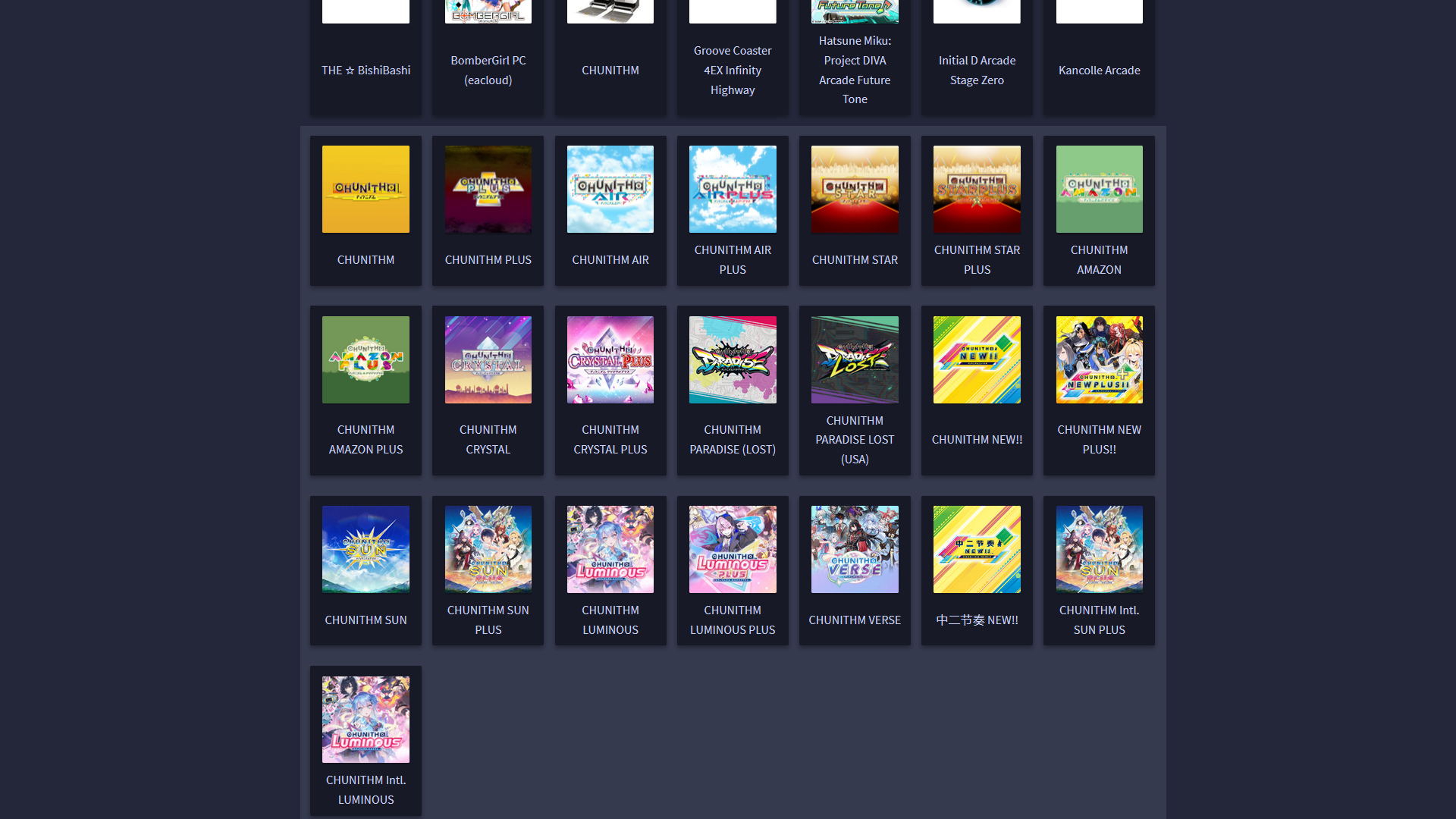
Go to your chosen patcher's website, you'll get something similar to this:

Click on any game you'd like the patches for. In this case, we'll use CHUNITHM VERSE.
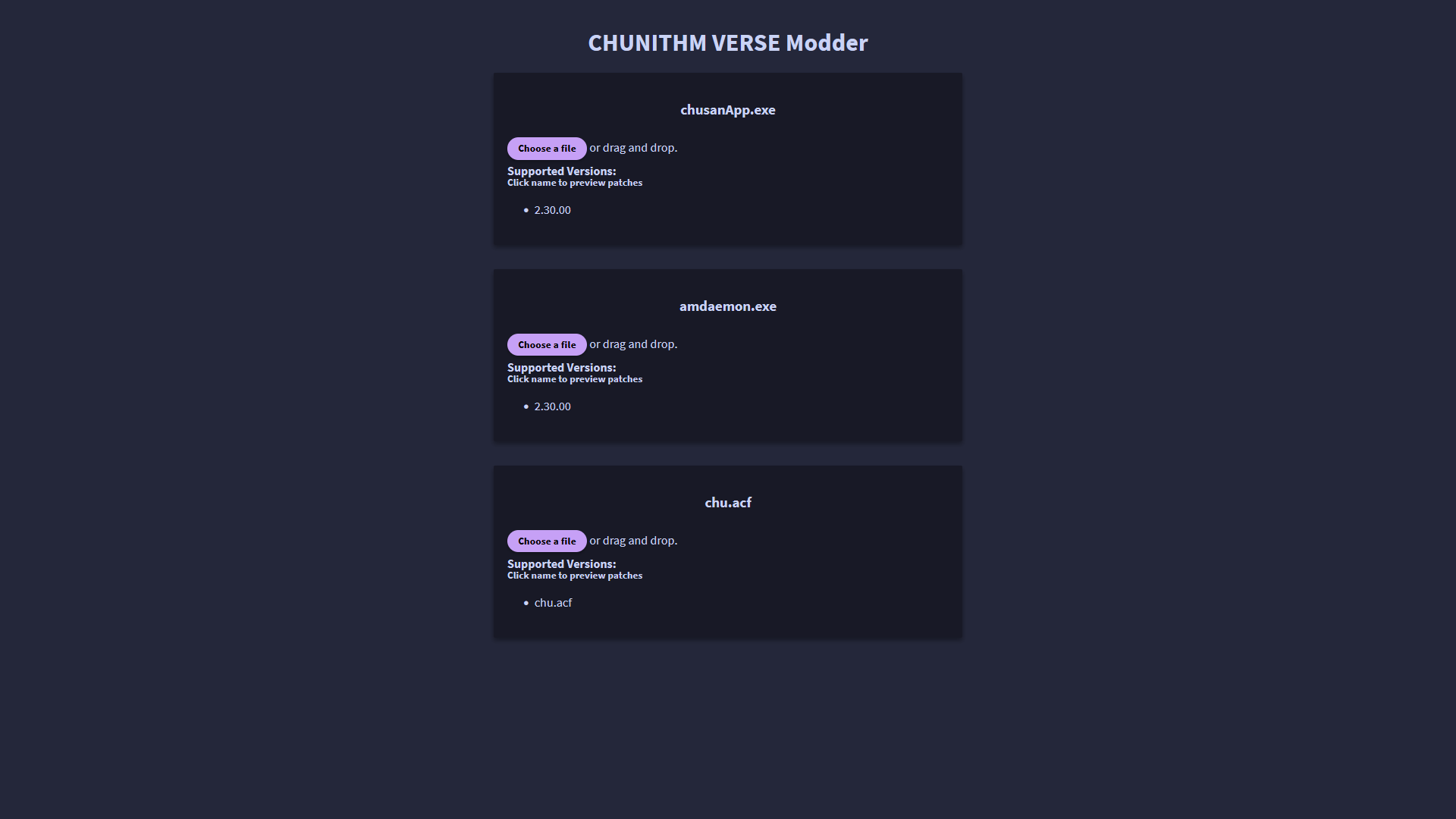
Here, either:
- Drag and drop the
.dllor.exefile the site prompts you to use. - OR click on
Choose a fileand select it that way.
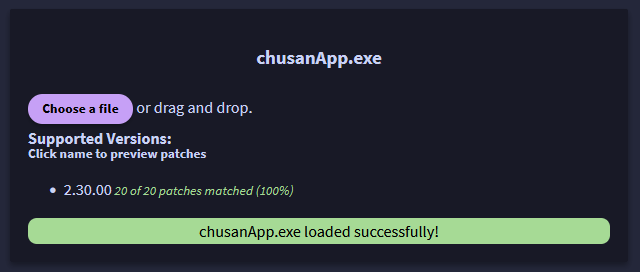
If you've used the correct file and the site is compatible, it will tell you.
X of X patches matched (100%) means the patcher is compatible with your game.
If this shows any less than 100%, DO NOT use it. Your .dll or .exe file might not be clean. Only proceed with a clean one.
Please keep in mind that some patchers may not support the most recent versions of your game right away.
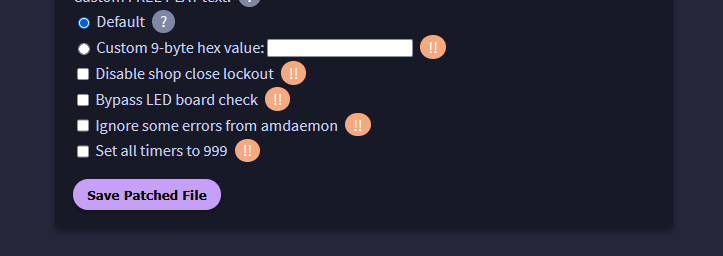
Now, you can select the patches you'd like to apply.
If you're unsure on what to do, refer to your specific game's guide as it might have more information there.
Otherwise feel free to join our Discord server, the link is at the top of the home page, and ask the community!
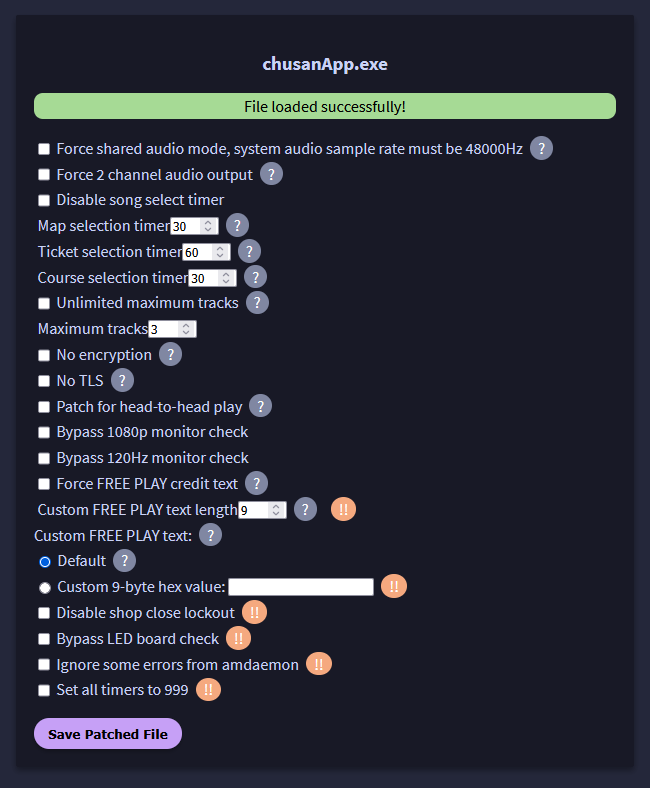
When you're done selecting patches, click on Save Patched File and your new file will start downloading.
Backup your original .dll or .exe file first!
Now you may replace your data's file with the patched one you just downloaded.
Once you've done that, you're done. Enjoy!