Cab-to-Cab over Internet
You must obtain clean, unmodified and complete data to proceed with our guides
Corrupted or incomplete files will cause unpredictable issues we can't cover.
TWO-TORIAL does not provide or distribute game data. Do not ask.
You are most likely to have success with Multiplayer when all users are using the SAME data and options, from the same sources. Verify that each person can run the game normally before attempting to network them together
Initial setup
Network
Every machine needs to be on the same LAN.
If you wish to achieve that over the internet, follow the ZeroTier setup guide.
GAME ASSIGNMENTS
-
Open the Service Menu and navigate to
GAME ASSIGNMENTS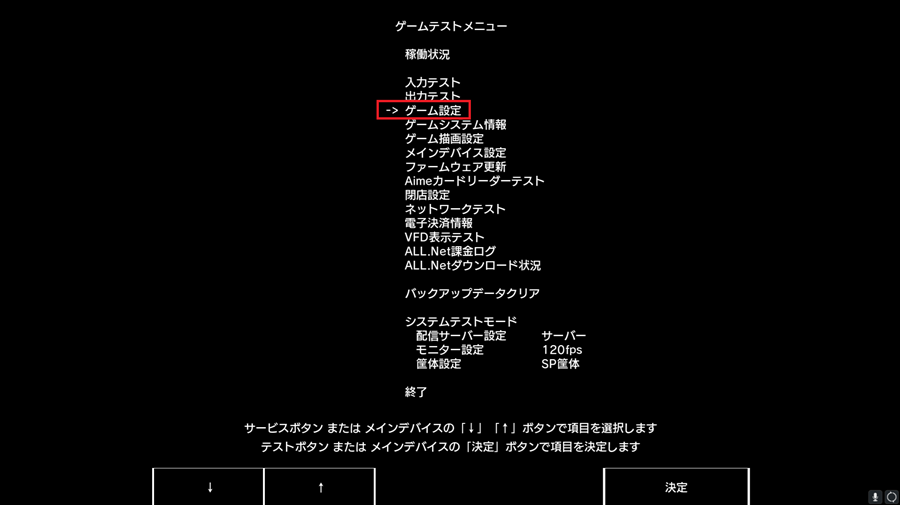
-
Make sure all machines are on the same group (Group A for example)
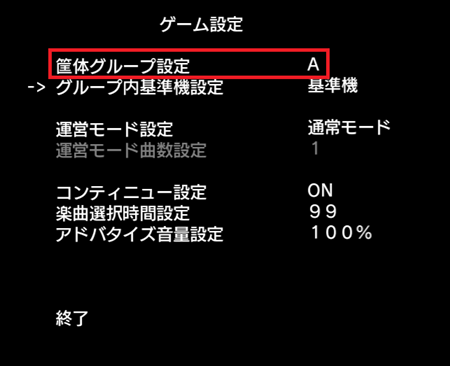
-
Set one machine to
STANDARD, and all other machines toFOLLOW THE STANDARD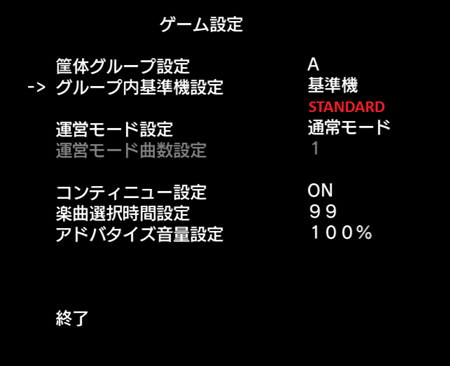
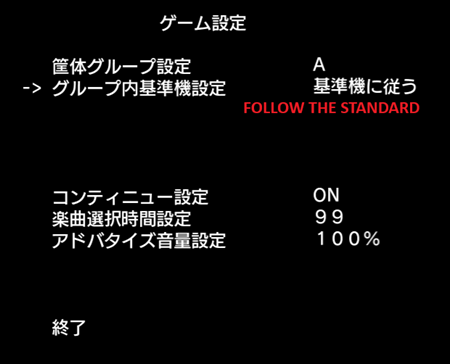
Exit the Service Menu and load into Attract Mode. If the game passes the Group Check then chances are you're good to go! You can now login to a credit and open a cab-to-cab link request to check if the connection is working properly.
How to link?
If you're new to CHUNITHM and have never tried link-play before and you have no idea how, keep reading
-
Login to a credit
-
If you're hosting a cab-to-cab session, choose a song first, then scroll to the far left and press
Confirm
The cab-to-cab request is now open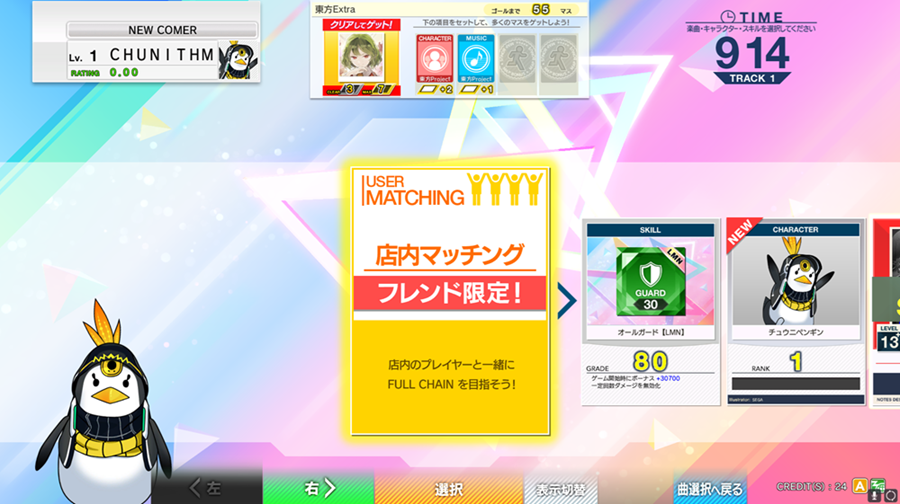
-
If you're connecting, navigate to the
Cabinet-to-Cabinet Playtab and wait for other players to create a session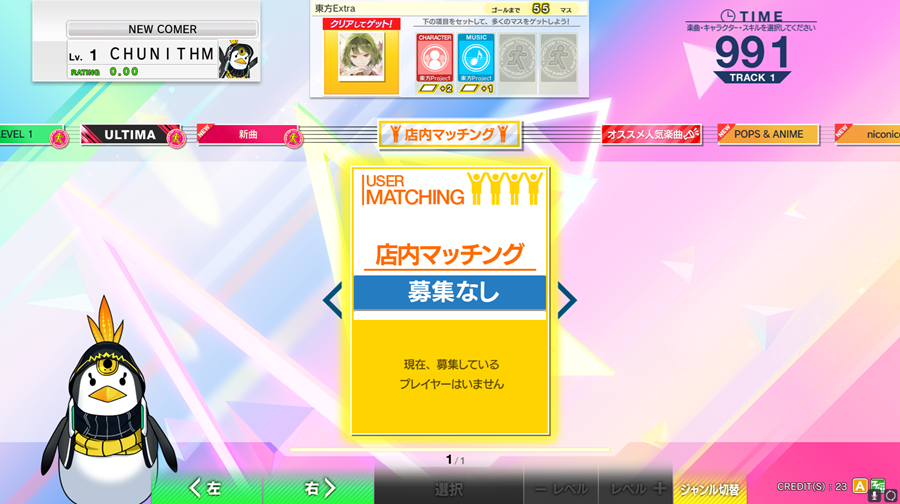
If you are able to see each other's session, congrats! You can now enjoy some cab-to-cab chain action!
Help
Something's wrong?
Make sure you've followed all steps correctly and also read other relevant guides.
Still stuck? You can join our Discord community server for support!
Click on the Discord logo at the bottom right of the page.